

Email Countdown Timer
Create a free countdown timer in just a few steps to embed in an email or newsletter.
- Privacy first
- Free without limits
- No Account Required
:
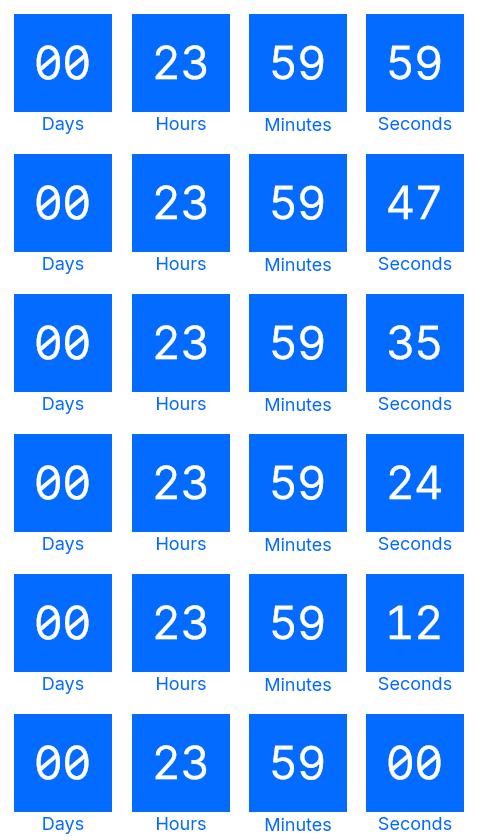
For all recipients who use Apple Mail and have MPP enabled, the countdown timer is automatically replaced by a static GIF with your custom text.
For recipients using Apple Mail with MPP enabled, the countdown timer is automatically replaced by a 1-pixel-high transparent GIF.
Frequently asked questions
What is CleverTimer?
CleverTimer is a free email countdown timer that helps you make your newsletters and email campaigns more effective. Dynamic countdowns create urgency and motivate your recipients to respond to your offers more quickly. This helps you increase open rates, clicks and conversion rates. CleverTimer can be easily integrated into your email marketing and works reliably with all common email clients – no registration or complicated technology required.
Is the timer really free?
Yes, the email countdown timer is free!
Does the timer include a watermark?
No watermark, no branding – the email countdown timer is completely free from watermarks or branding. The timer is displayed seamlessly within your email design, without any logo, promotional message or visual tag. This ensures your campaigns look fully professional and aligned with your brand identity.
How often can the timer be displayed?
The email countdown timer may currently be included in emails or newsletters as often as desired without quantitative restrictions. Its use is subject to our Terms of Use, in particular the provisions on fair use and the prohibition of misuse or connection with illegal content.
Can I use the timer commercially?
Yes, of course. You can use the email countdown timer privately and commercially.
Is the timer GDPR-compliant?
Data protection is very important to us, and we do everything we can to comply with GDPR requirements. No personal data is permanently stored for the creation and display of the email countdown timer. When the email countdown timer is accessed, the IP address is processed briefly to prevent excessive requests and ensure the security of the service. This is done in accordance with Art. 6 (1) lit. f GDPR, and the IP address is not permanently stored. For more information, please see our Privacy Policy.
Where is CleverTimer hosted (server location)?
CleverTimer is operated on servers located in Germany. Data processing is carried out in accordance with applicable German data protection laws as well as the relevant provisions of the GDPR. For more information, please see our Privacy Policy.
How often is the timer updated?
To ensure that the email countdown timer always displays the current remaining time, it is updated in real time every time the email is opened. This means that your recipients always see the exact time remaining until the date you specified expires. In this context, please also take another look at the topic of Apple Mail Privacy Protection (MPP).
Why does the timer run in a 60-second loop?
Don't worry — this is intentional and typical of an email countdown timer. In order to prevent your recipients from having to wait what feels like an eternity for the timer to appear when they open the email, the file size of the timer (an animated GIF) must not be too large. For this reason, we have set the timer to loop through 60 frames. It works perfectly 👍
How reliable is the timer?
We know how important it is for you that the email countdown timer always runs reliably and is displayed quickly in your recipients' emails. That's why we've built a robust infrastructure to ensure that your timer works as reliably as possible.
However, despite taking appropriate technical measures, we cannot guarantee that the application will always function without interruption, securely or without errors. Use is therefore at your own risk (see also our Terms of Use).
Can I customize the timer design?
Yes, a custom timer template is possible in principle. Our goal is to make the creation and design of the email countdown timer as easy as possible for our users. If the currently available options do not allow you to implement your desired requirements for a countdown timer, we would be happy to discuss the implementation of a custom timer template. Just contact us – we will find a solution!
Do you have another question?
Was your question not answered? Contact us – we will be happy to help you!