

Email Countdown Timer
Create a free countdown timer in just a few steps to embed in an email or newsletter.
- Privacy first
- Free
- No Account Required


:
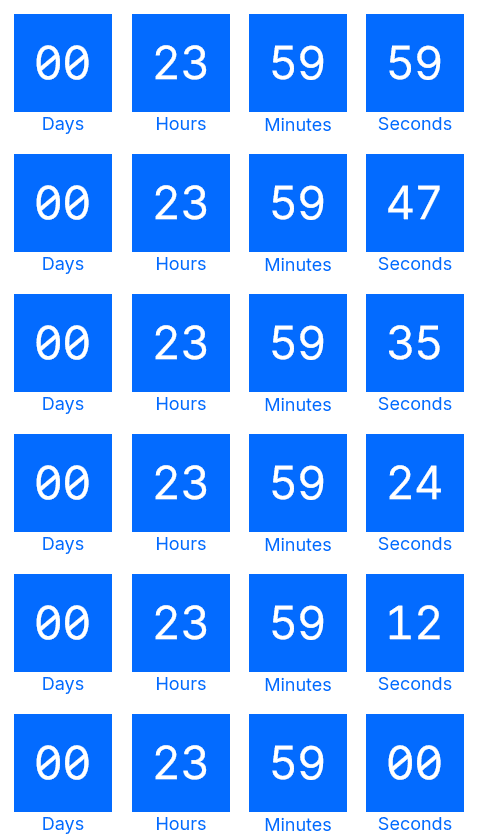
A static GIF with your custom text replaces the countdown when a request is identified as possible MPP activity. Include the deadline as regular email text as well.
A transparent GIF replaces the countdown when a request is identified as possible MPP activity. Include the deadline in the regular email text.
Frequently asked questions
What is CleverTimer?
CleverTimer is a free email countdown timer that helps you make your newsletters and email campaigns more effective. Dynamic countdowns highlight limited-time offers and give your subscribers a clear reason to act before the deadline. This helps guide them from your offer to a click and a purchase. CleverTimer is easy to embed in your newsletters as an animated GIF—free, with no account required and simple activation by email.
Is the timer really free?
Yes, the email countdown timer is free!
Does the timer include a watermark?
No watermark, no branding – the email countdown timer is completely free from watermarks or branding. The timer is displayed seamlessly within your email design, without any logo, promotional message or visual tag. This ensures your campaigns look fully professional and aligned with your brand identity.
How often can the timer be displayed?
The email countdown timer may currently be included in emails or newsletters as often as desired without quantitative restrictions. Its use is subject to our Terms of Use, in particular the provisions on fair use and the prohibition of misuse or connection with illegal content.
Can I use the timer commercially?
Yes, of course. You can use the email countdown timer privately and commercially.
Is the timer GDPR-compliant?
Data protection is very important to us, and we do everything we can to comply with GDPR requirements. No personal data is permanently stored for the creation and display of the email countdown timer. When the email countdown timer is accessed, the IP address is processed briefly to prevent excessive requests and ensure the security of the service. This is done in accordance with Article 6(1)(f) GDPR, and the IP address is not permanently stored. For more information, please see our Privacy Policy.
Where is CleverTimer hosted (server location)?
CleverTimer is operated on servers located in Germany. Data processing is carried out in accordance with applicable German data protection laws as well as the relevant provisions of the GDPR. For more information, please see our Privacy Policy.
How often is the timer updated?
The time remaining is calculated when our server receives a request for the timer image. If an email client displays a cached GIF, the countdown may be out of date. Read our notes on Apple Mail Privacy Protection (MPP) and include the deadline as regular email text.
Why does the timer run in a 60-second loop?
The GIF animation repeats a 60-second sequence. This keeps the file smaller than an animation covering the entire time remaining. The loop does not recalculate the countdown: a cached GIF may show an outdated time. Always include the deadline as regular text in your email too.
How reliable is the timer?
CleverTimer serves timer images when they are requested. How they appear in your email also depends on the connection and email app. Images can be blocked or cached. Test your newsletter before sending and include the deadline as regular text.
However, despite taking appropriate technical measures, we cannot guarantee that the application will always function without interruption, securely or without errors. Use is therefore at your own risk (see also our Terms of Use).
Can I customize the timer design?
Yes, a custom timer template is possible in principle. Our goal is to make the creation and design of the email countdown timer as easy as possible for our users. If the currently available options do not allow you to implement your desired requirements for a countdown timer, we would be happy to discuss the implementation of a custom timer template. Just contact us – we will find a solution!
Do you have another question?
Was your question not answered? Contact us – we will be happy to help you!